Every AI edit, accounted for.
AI coding assistants — tools like Claude Code, Cursor, and Codex that let you ask an AI to write code for you — are powerful, but they leave no trail. Aiki fixes that: it tracks every AI change as a task, enforces quality reviews, and prevents concurrent AI agents from stepping on each other.
An independent explainer for aiki-sh's cli — built to take you from "never seen it" to "ready to implement".

01
AI coding is fast. The paper trail is not.
Why does this exist?
A situation many teams recognise once they start using AI assistants heavily.
You ask an AI coding assistant to add a feature. It writes forty files of code in four minutes. You review it quickly, merge it, and move on. Three weeks later a bug appears. You ask: which AI change caused this? Who reviewed the output? Was it even tested? The answer is: nobody knows. There is no ticket, no trail, no record of the reasoning behind those forty files.
This is the problem of lost context. Human software changes carry context naturally — they come from a person with a name, a pull request with a description, a code review with comments. AI changes arrive in bursts with none of that: no ownership, no description, no link to the instruction that triggered them.
The second problem is collision. Suppose you have one AI working on a new feature and another reviewing old code at the same time — both editing the same files. Without isolation, one silently overwrites the other. You discover the problem later, when something is missing and nobody understands why.
The faster you move with AI, the faster you accumulate this invisible debt: changes with no owner, no rationale, no quality gate, and no way to retrace them.

02
Aiki puts a tracking number on every AI action.
What does it actually do?
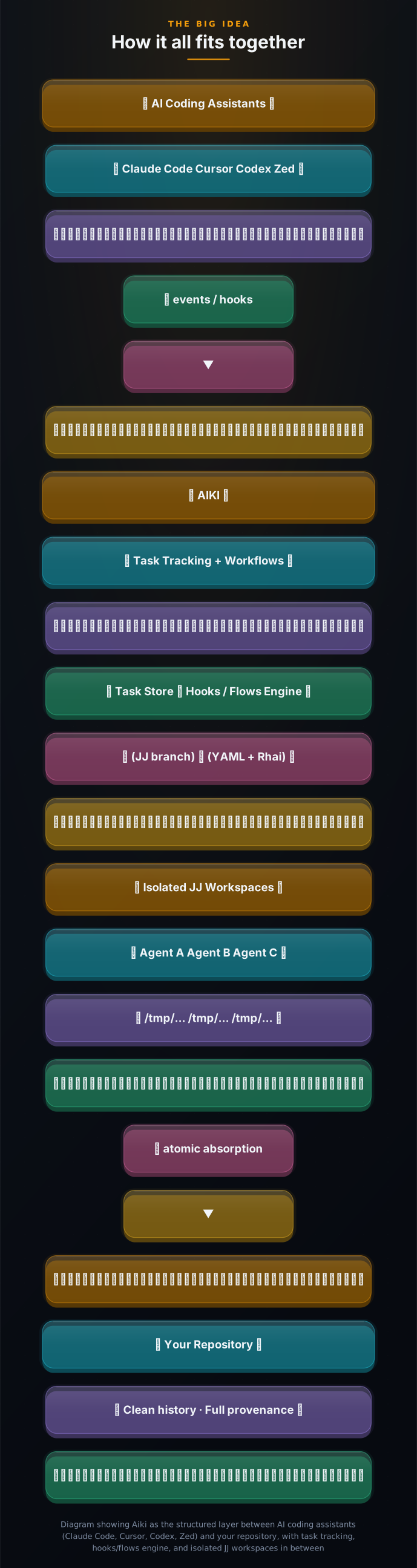
Aiki is a command-line tool you install once. After that, it runs in the background and watches your AI editors.
When an AI agent (Claude, Cursor, Codex, or Zed) is about to make a code change, Aiki intercepts the action and creates a task — a record with a unique ID, a timestamp, a description, and a link to the instruction that triggered the change. That task persists in your version history even after the AI session ends, even after the AI forgets the context.
Think of a task like a support ticket or a Jira issue, but one that is created automatically without you doing anything. The AI starts the ticket, works on it, and closes it when the change is done. You can inspect it, diff it, review it, and share it with teammates — forever.
Aiki also provides a structured four-step workflow for larger pieces of work: you write a plain-English plan (plan step), the AI breaks it into subtasks and executes them in parallel (build step), a separate AI reviews the output (review step), and any issues are automatically fixed and re-reviewed until the code is clean (fix step). Each step is trackable and inspectable at any time.
03
The trick: each AI gets its own private copy of the repo.
Why is it elegant?
Putting a ticket on every AI action is easy. The hard part is what happens when two AIs edit the same file at the same time.
Under the hood, Aiki uses Jujutsu (JJ for short) — an alternative to Git that is designed to support multiple simultaneous checkouts of the same repository without conflicts. JJ is what makes the private sandboxes possible: each sandbox shares the same underlying files and history but has its own working area. Aiki manages the JJ workspace lifecycle automatically; you do not need to think about it.
The name Aiki comes from the Japanese martial art aikido. The principle of aikido is to redirect an attacker's force rather than resist it. Aiki the tool follows the same logic: instead of locking AI agents out of the repo or making them wait in a queue, it redirects each agent into its own safe space and merges the results gracefully.
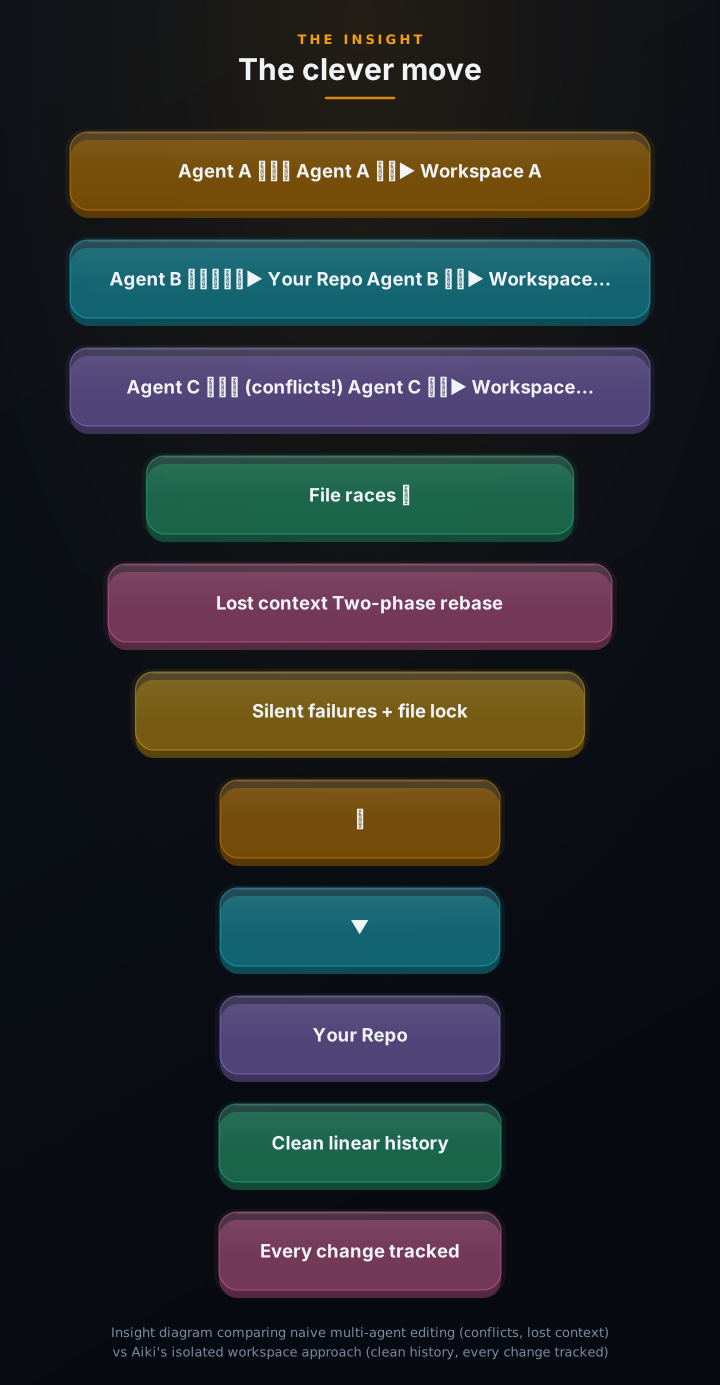
Aiki solves this by giving each AI session its own private sandbox — a complete, isolated copy of your project folder stored in a temporary directory. Agent A edits files in its copy. Agent B edits files in its copy. They cannot interfere with each other because they are literally working in different places. When each agent finishes, Aiki runs a precise two-step merge to bring both sets of changes cleanly back into the main project — using a locking mechanism to ensure the merges happen one at a time, in order. The result is a single clean history with every change attributed to the session that made it.
04
Architecture: one binary, four layers.
How is it built?
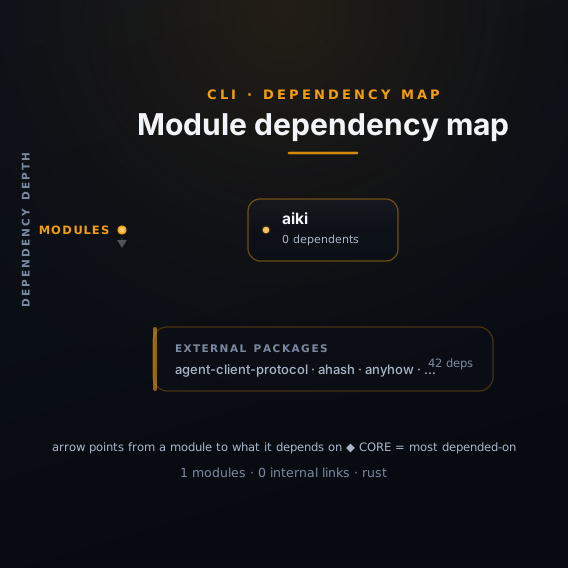
Aiki is a single Rust binary with four distinct layers that work together to track every AI action.
Commands (src/commands/) handle the CLI surface: plan, build, review, fix, loop, decompose, task, session, init, doctor, and more. Each is its own Rust module with argument parsing.
Editor bridges (src/editors/) are per-agent protocol adapters: Claude Code uses the Agent Client Protocol (ACP), Codex streams OpenTelemetry events, Cursor uses ACP, and Zed has its own integration.
The core engine manages task storage (events on a dedicated aiki/tasks JJ branch), the hooks and flows YAML engine (conditionals powered by Rhai scripting), and JJ workspace management (create, absorb, crash recovery).
The SDLC pipeline chains four commands: plan (interactive spec authoring) → build (decompose into parallel subtasks + execute in concurrent lanes) → review (structured evaluation with a different agent) → fix (auto-remediate issues, re-review until clean).
05
For teams that have already felt the pain.
Could I use this?
Aiki is for the team that started with AI-assisted coding, loved the velocity, and then had that first uncomfortable moment: who changed this, and did anyone actually check it?

1 Chat mode: traceability on top of your existing workflow
Continue using Claude Code or Cursor exactly as you do today. Aiki hooks in silently — every agent action automatically starts a task. At any moment run aiki task show or aiki task diff to see exactly what changed and why. Tasks survive context resets and agent switches.
2 Headless SDLC: from plan to reviewed code, automatically
Write a markdown plan file, run aiki build with the --fix flag, and walk away. Aiki decomposes the plan into subtasks, runs them in parallel AI lanes, reviews the output, and fixes issues — looping until the code is clean. A live status screen shows progress in real time.
3 Multi-agent without the chaos
Let Claude write the feature, Codex review it, and Cursor fix it — all referencing the same task ID. Each agent gets its own isolated JJ workspace so they can work concurrently without conflicts. Changes merge back atomically, producing a clean, linear history with full provenance.
06
From zero to tracked in two minutes.
How do I start?
You need: Homebrew (a package manager for macOS/Linux, free at brew.sh) and one AI coding assistant installed — Claude Code, Cursor, or Codex.
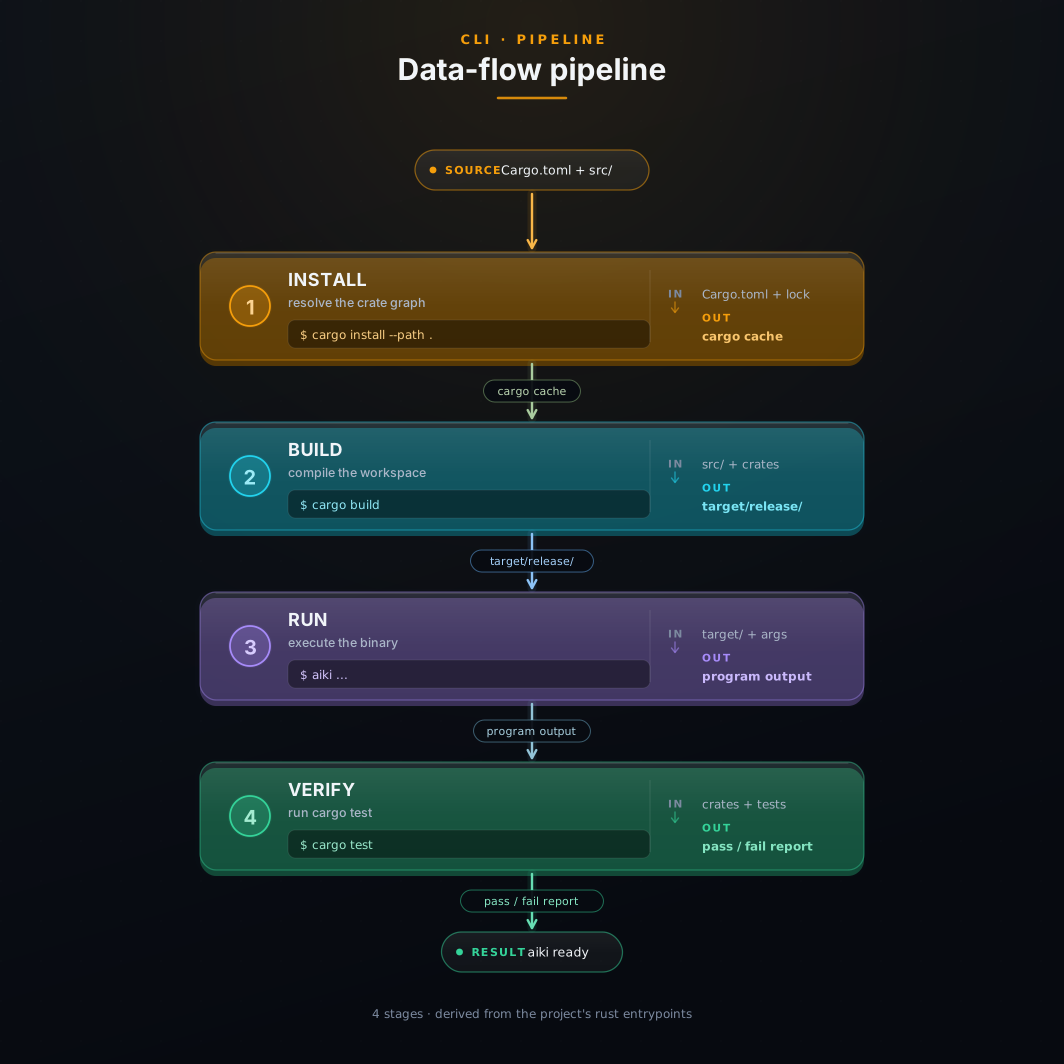
brew tap aiki-sh/tap && brew install aiki- Verify the install Run aiki --version. You should see output like: aiki 0.1.0. Then run aiki doctor to check that your AI editors are detected and the hooks can be installed.
- Initialize Aiki in your project cd your-project && aiki init. Aiki configures editor hooks for Claude Code, Cursor, and Codex automatically without overwriting any existing settings. You will see a confirmation listing which editors were configured.
- Open your AI editor and make any small change Ask your AI: Add a comment to the main function. Before touching the first file, the AI will automatically start a task. You will see a line in the agent output like: Started mvslrsp — Add comment to main function. That 7-character code is your task ID.
- Inspect the tracked change Run aiki task show mvslrsp to see the full task record: description, which AI ran it, timing, confidence score, and summary. Run aiki task diff mvslrsp to see the exact lines added or removed. These records survive forever across sessions and context resets.
- Try the automated pipeline (optional) Run aiki plan ops/now/feature.md to write a spec with AI help, then aiki build ops/now/feature.md --fix. A live terminal screen appears showing subtasks running in parallel lanes, a code review happening automatically, and any issues being fixed until the code is clean — then the screen summarises what was accomplished.
07
Take the knowledge with you.
Does my AI get it too?
Every explainer ships an AI-ready knowledge pack — a portable knowledge base your AI assistant can load directly to answer questions about Aiki accurately, without hallucinating.